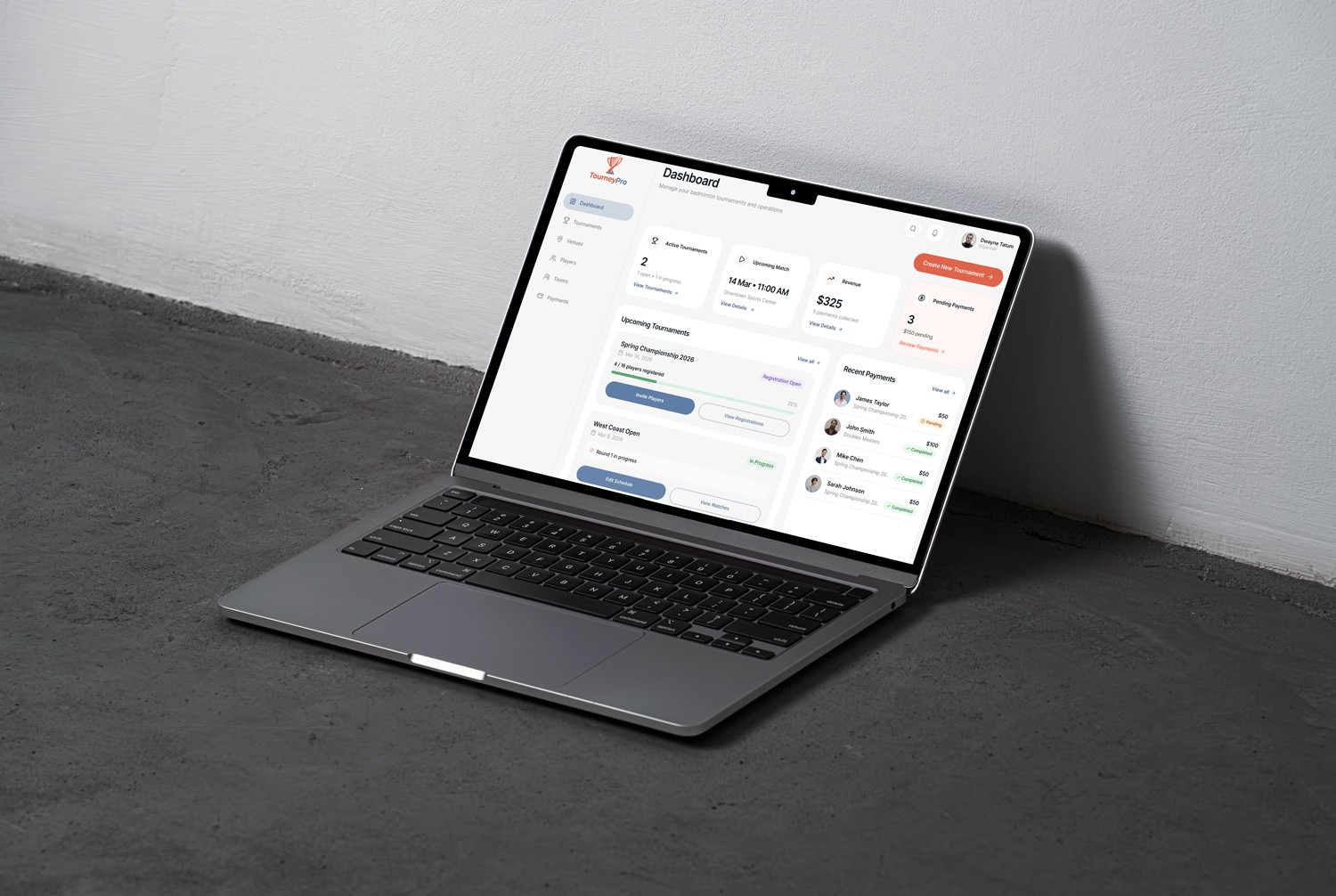
TourneyPro is a tournament management platform designed to help organizers track matches, verify players, and monitor performance.
Focus Area
Designing a scalable dashboard to help organizers manage tournaments, players, and performance insights.
Roles
Product Designer
Platform
Web Application
Tournament organizers struggled with day-to-day operations due to poor information hierarchy:
The existing dashboard lacked a clear hierarchy and required multiple steps to access key information.


• Replaced passive metrics with actionable insights for faster decisions
• Reduced steps in the payment verification workflow
• Introduced registration progress and match status signals
• Added real-time activity tracking for better platform visibility
• Maintained a modular dashboard structure to support future features
Strategic Planning Approach
To address the challenges, I focused on four strategic pillars:
Does this screen help users make clear decisions?
Information Hierearchy
Is important information clearly prioritized?
Workflow Efficiency
Is the process simple and smooth?
Scalability Readiness
Is the process simple and smooth?
To understand their daily workflow, I identified three key stress points:
Players not paying
Uncertain participant list
Tournaments not filling up
Difficult to finalize brackets
Scheduling conflicts
Overlapping matches and courts
The Problem
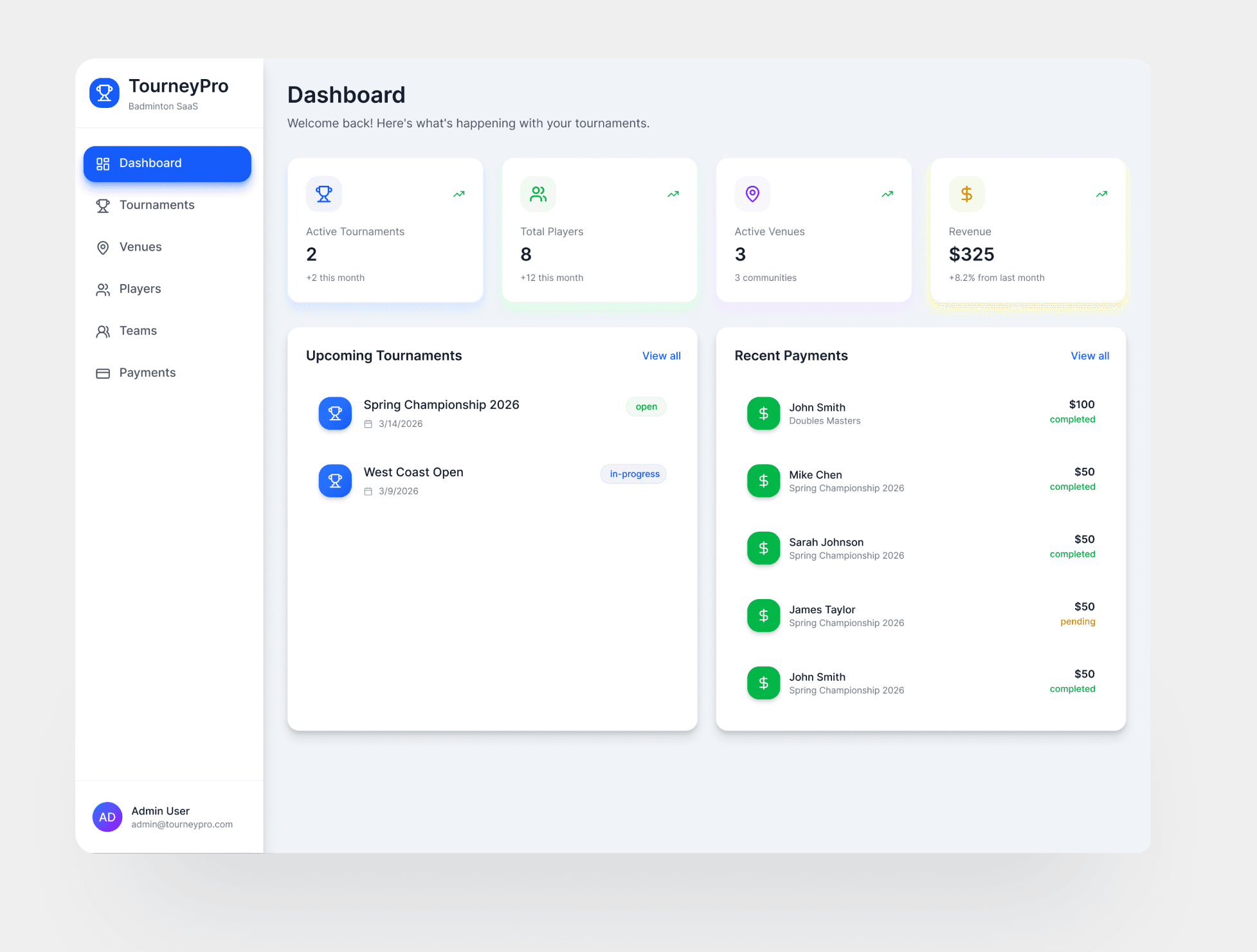
Metrics Without Context
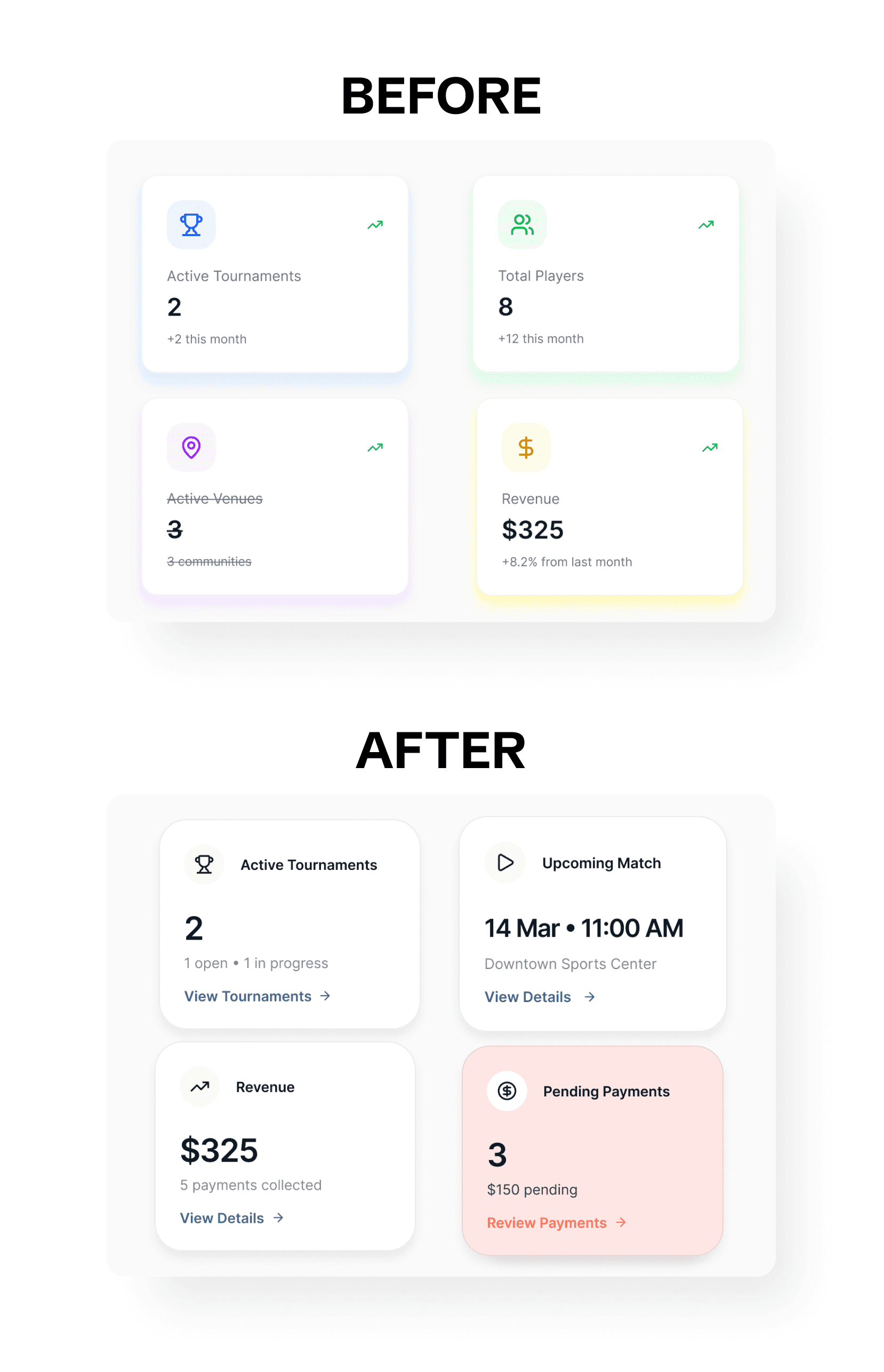
The original dashboard displayed multiple metrics, but they did not answer the organizer’s key question: “What should I do right now?”
Issues
• All metrics had the same visual importance
• Non-actionable data distracted from operational tasks
• No clear primary action
The Solution
More Actionable Metrics
I redesigned the dashboard to prioritize tasks requiring attention.
Key Changes:
• Removed reporting metrics (Total Players, Active Venues)because these numbers were only for reporting and do not require immediate action.
• Introduced Pending Payments and Upcoming Matches which highlight operational tasks that need attention.
• Added Create New Tournament as the primary action
The Problem
Limited Operational Visibility
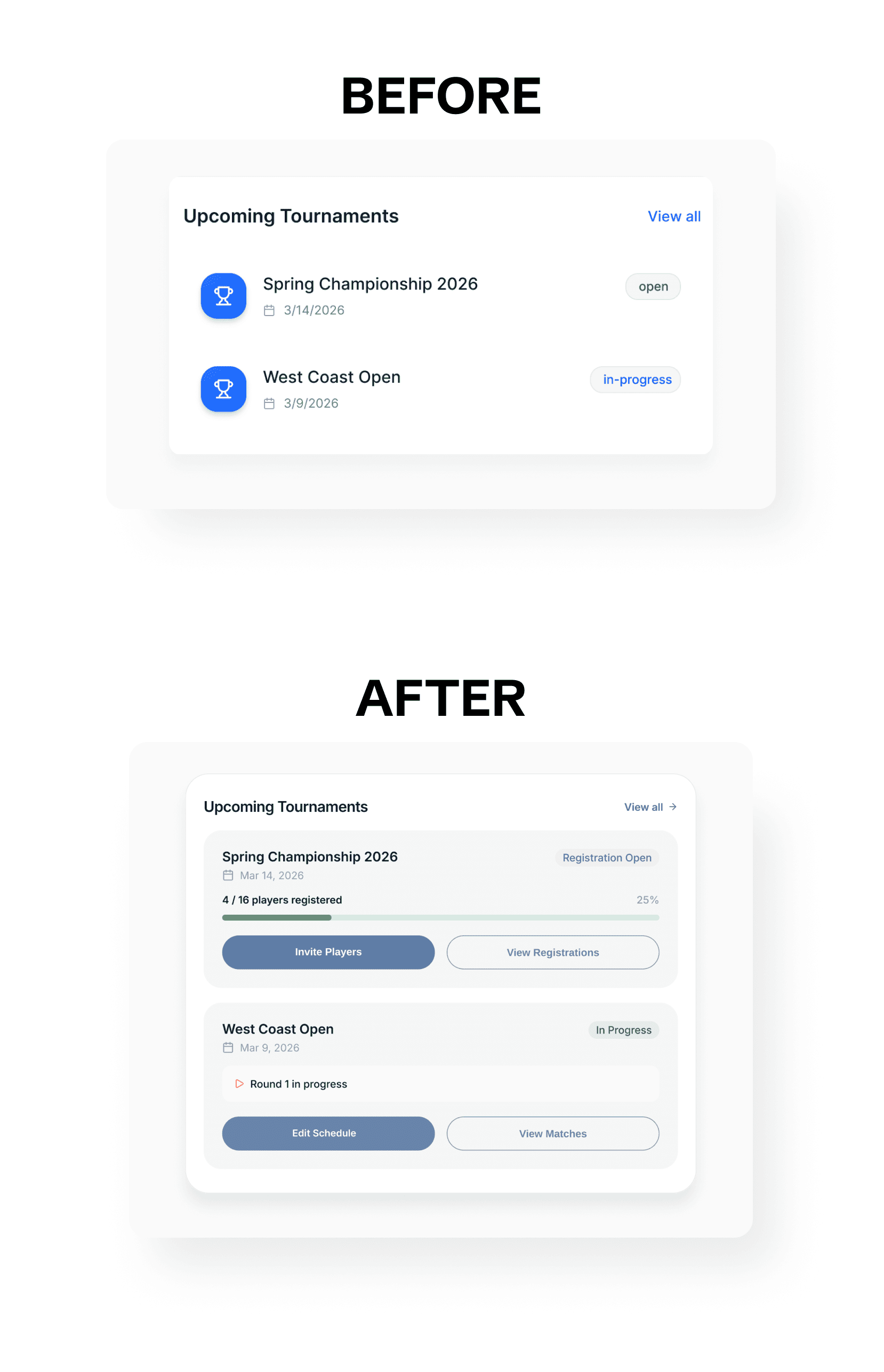
The Upcoming Tournaments panel only displayed basic information:
• Tournament name
• Date
• Status
Organizers still needed to open each tournament to check registration progress or match activity.
The Solution
More Actionable Tournament Insights
I redesigned the panel to surface operational insights and quick actions.
Added key signals:
• Registration progress
• Match status
This allows organizers to move from insight to action without opening multiple screens.
Introduced quick actions:
• View Registrations
• Invite Players
• View Matches
• Update Scores
The Problem
Too many steps to resolve payments
Resolving payment issues required multiple navigation steps.
Current workflow

This created unnecessary friction for a task that happens frequently.
The Solution
Direct payment review from dashboard
I introduced direct payment review from the dashboard.
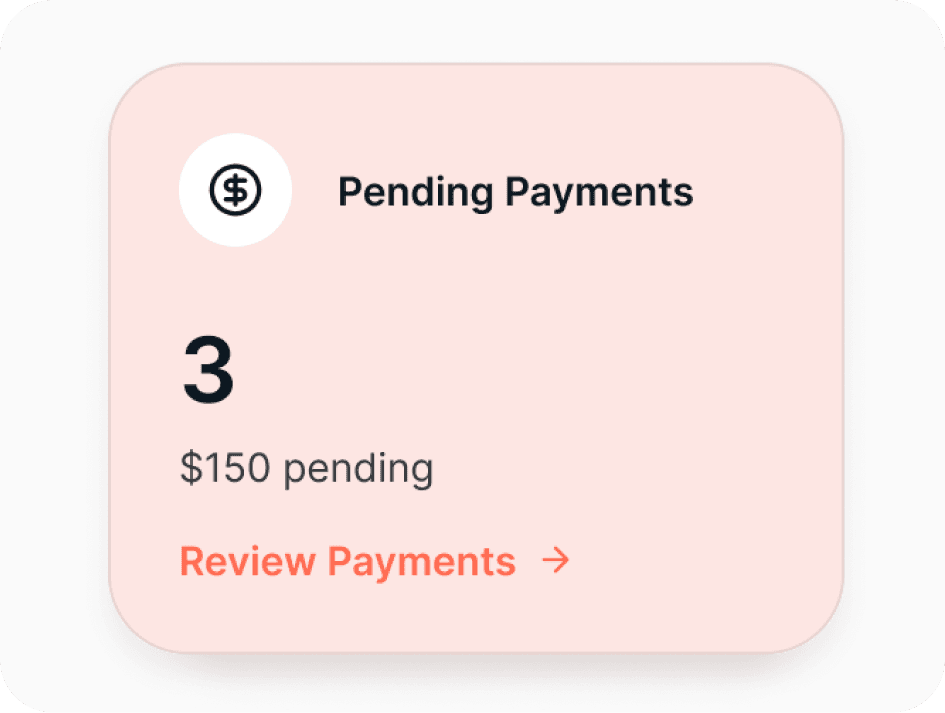
Added a Review Payments link inside the Pending Payments card, allowing organizers to access payment details immediately.
The Problem
Limited Visibility of Platform Activity
The dashboard focused on tournaments and payments but did not show what was happening across the platform.
Admins could not quickly see:
• Registration progress
• Match status
• New player registrations
• Recent payments
• Tournament creation
• Player performance
To understand platform activity, they had to navigate through multiple pages.
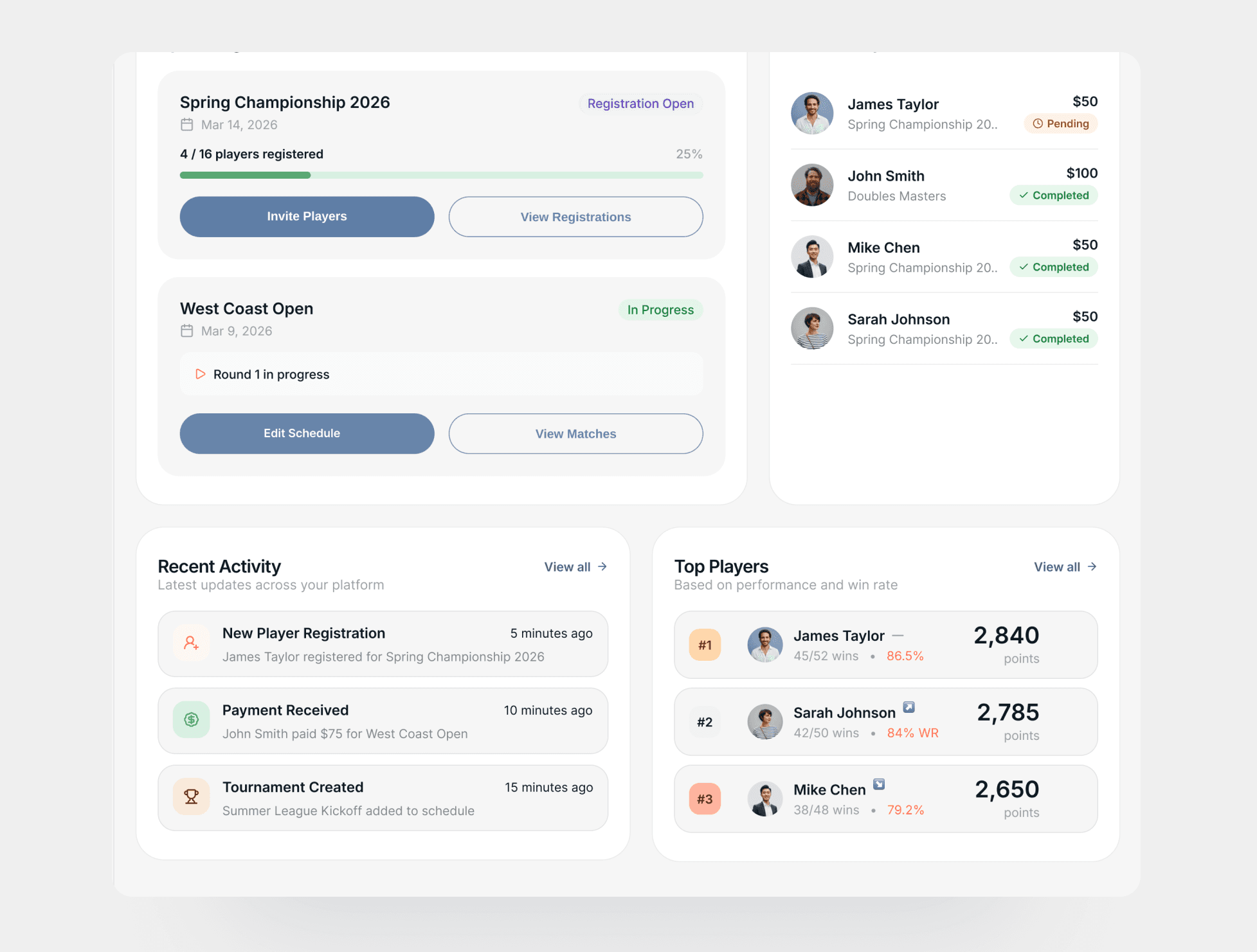
The Solution
More Actionable Tournament Insights
I introduced two new dashboard modules:
Recent Activity
Displays real-time updates such as player registrations, payments, tournament creation, and match completion.
Top Players
Highlights high-performing players based on wins, win rate, and points.
These modules allow administrators to monitor platform activity and player performance directly from the dashboard.
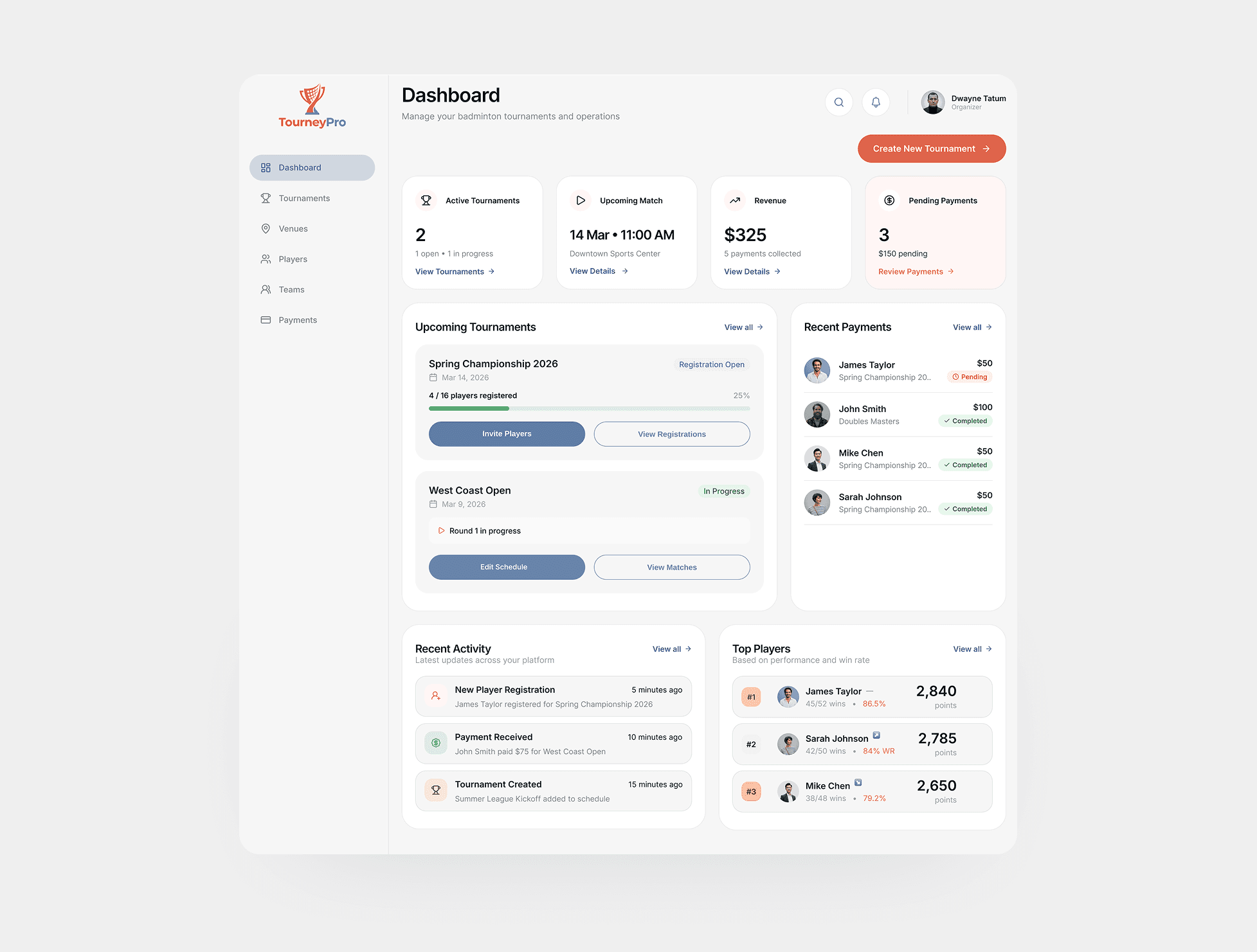
The dashboard uses a modular card-based layout, where each insight (payments, tournaments, activity, player performance) is presented as an independent module.
This structure allows new features and analytics modules to be added without redesigning the interface.
Combined with a section-based layout and structured sidebar navigation, the system can scale as the platform introduces new tournament features, analytics, or community tools.
Impact of the Redesign
The redesigned dashboard helps tournament organizers manage daily operations more efficiently by surfacing the most important information and actions in one place.
Key improvements include:
Faster issue resolution with quick access to pending payments and verification actions
Better tournament oversight through clear visibility of upcoming matches and registration progress
Reduced navigation by enabling organizers to move directly from insights to actions
Improved platform awareness with real-time activity updates and player performance insights
Appreciate you taking the time to explore this project. I hope it offered useful insight into my UX process and how I design for clarity, scale, and real user needs.